For iOS 17 or later, in English and German

Gym tracker for iPhone and Apple Watch

Log a set in one tap, get a target for every set and see which muscles you trained. Paid once, no account, and your workouts never leave your phone.

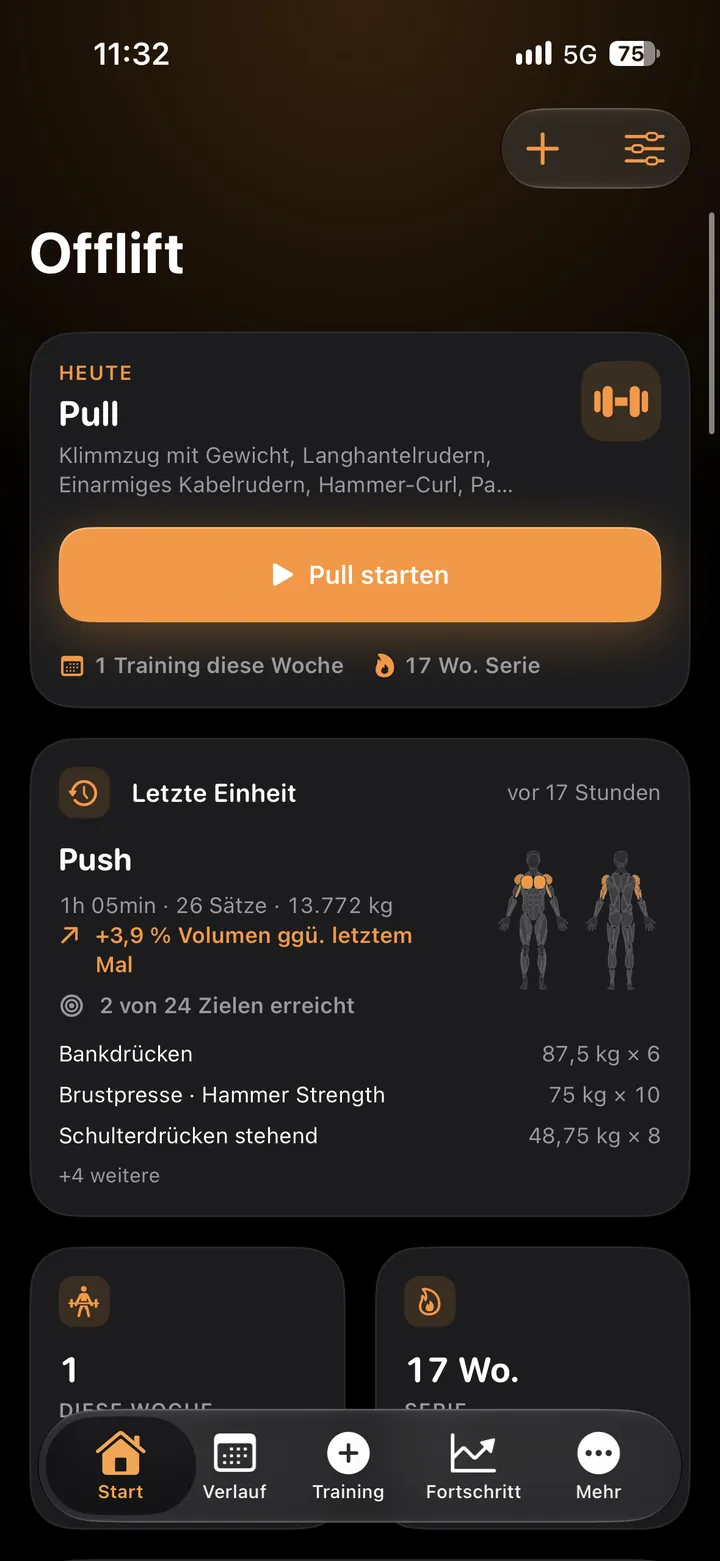
Offlift home screen with today's pull workout, the last push session and a 17-week streak

One tap per set in the gym. Your last session sets the target.

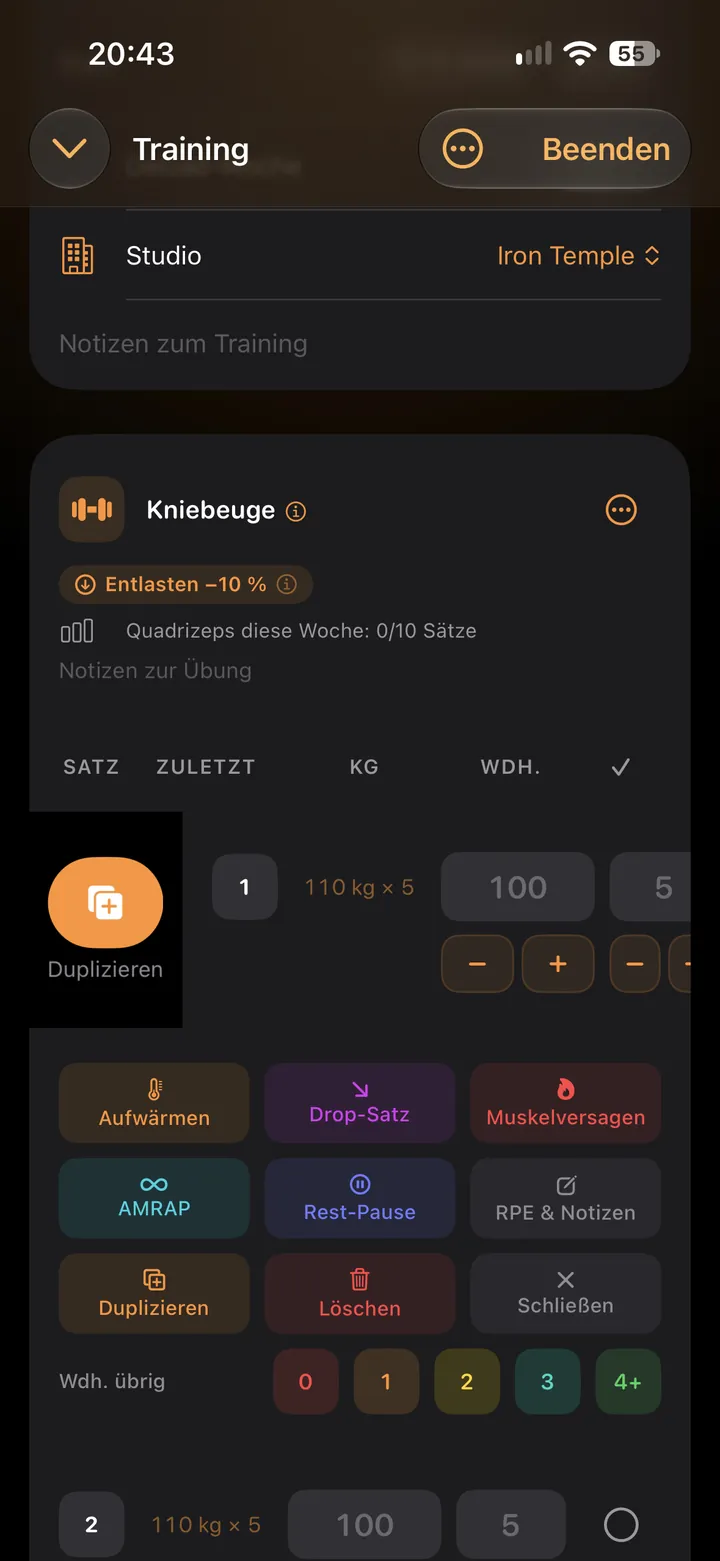
  1. Offlift shows a target for every set

    Last session's weight and reps sit in each row, the next step pre-filled in grey. Hit it and one tap ticks the set.

    Squat in the logger with last session's 110 kg × 5, a deload hint and the set type buttons
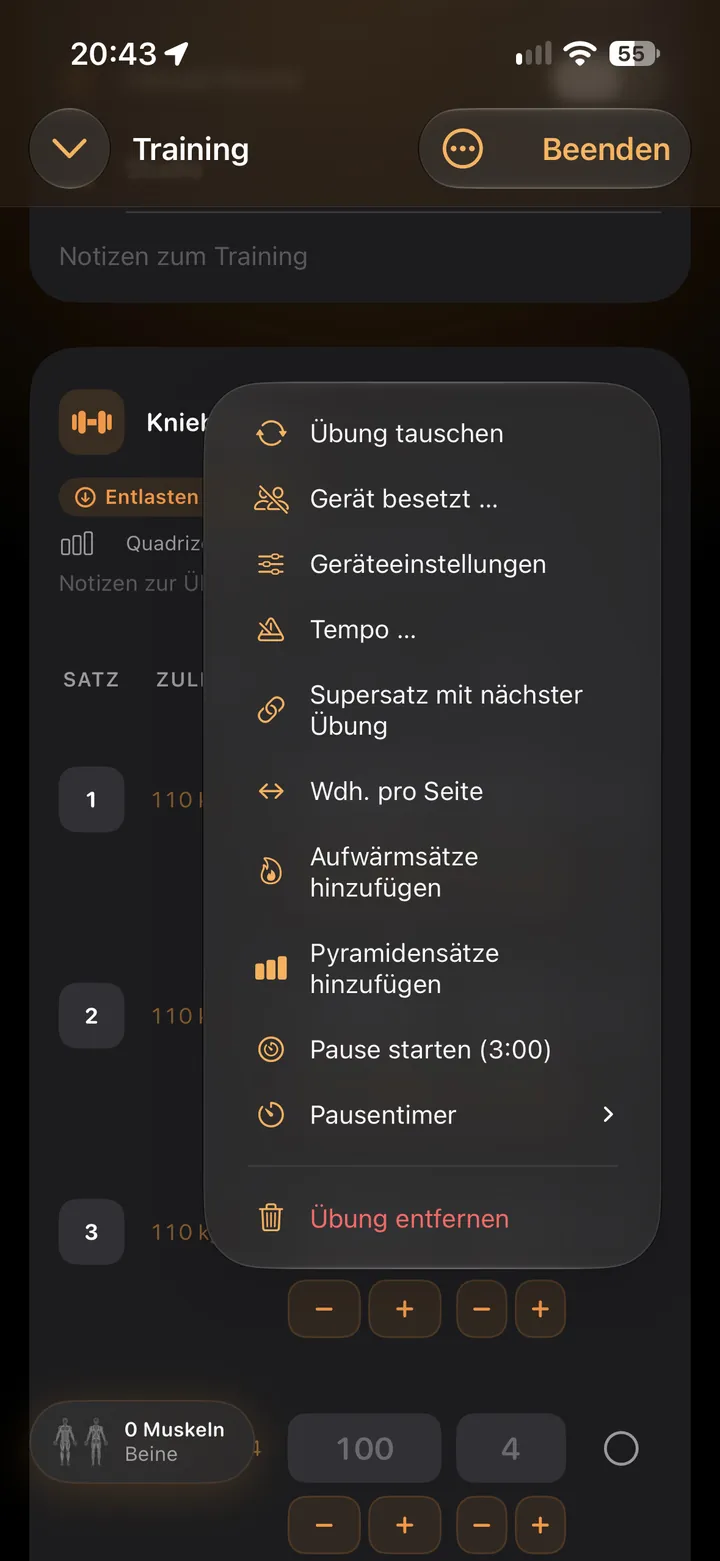
  2. The app adapts when a machine is taken

    Swap the exercise, build a superset, set a tempo or add warm-up sets from one menu.

    Exercise menu with swap, superset, tempo, warm-up sets and rest timer
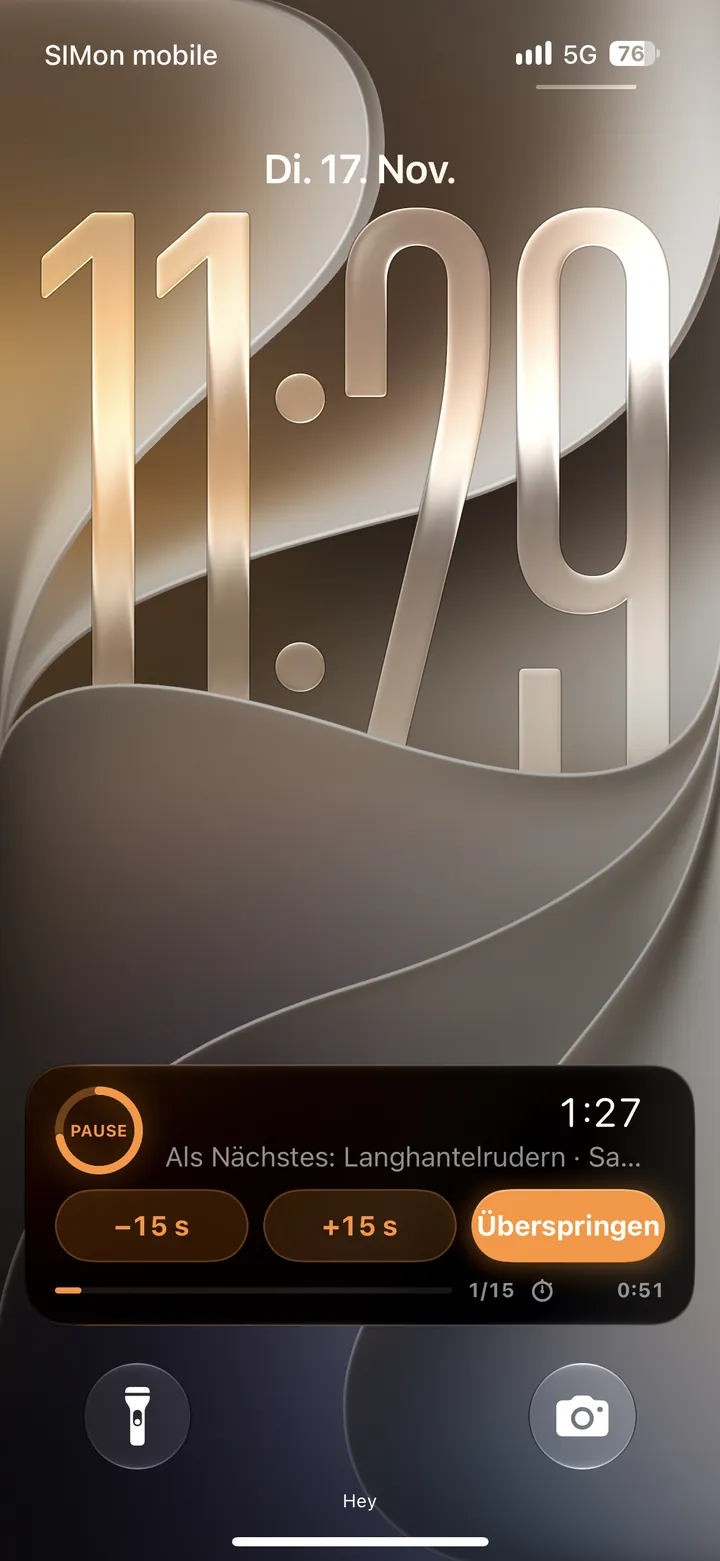
  3. Rest timer on the iPhone Lock Screen

    A Live Activity shows the countdown and the next set on the Lock Screen and in the Dynamic Island.

    Lock Screen with the rest countdown and the next exercise

The app’s analysis for every muscle. Each estimate says how it was worked out.

Tracks your 1RM per lift

Personal bests and rep maxes for every exercise, with records within reach marked.
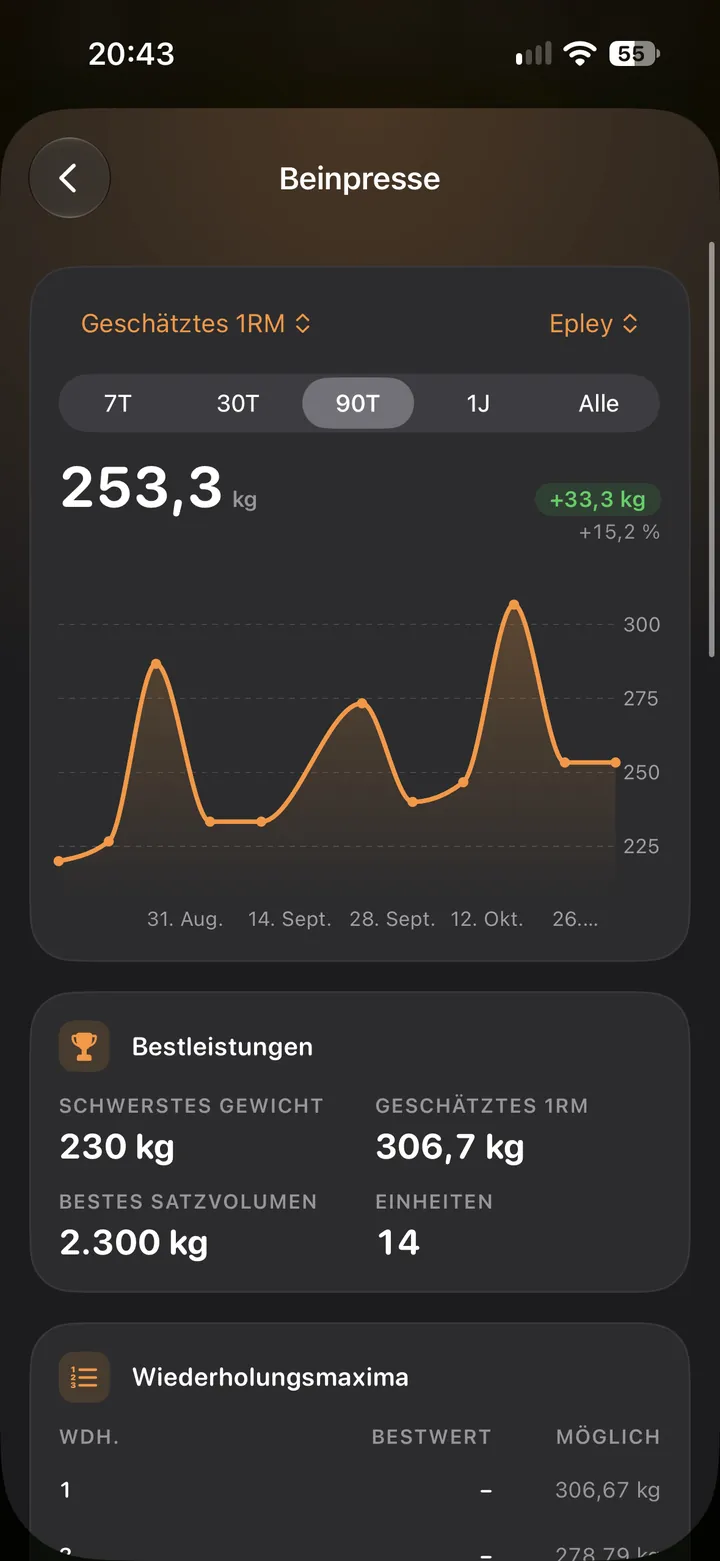
Exercise progress with estimated 1RM chart and rep maxes

Shows which muscles are ready

Fatigue builds with each set by its effort and fades over time, for over 30 muscle areas.
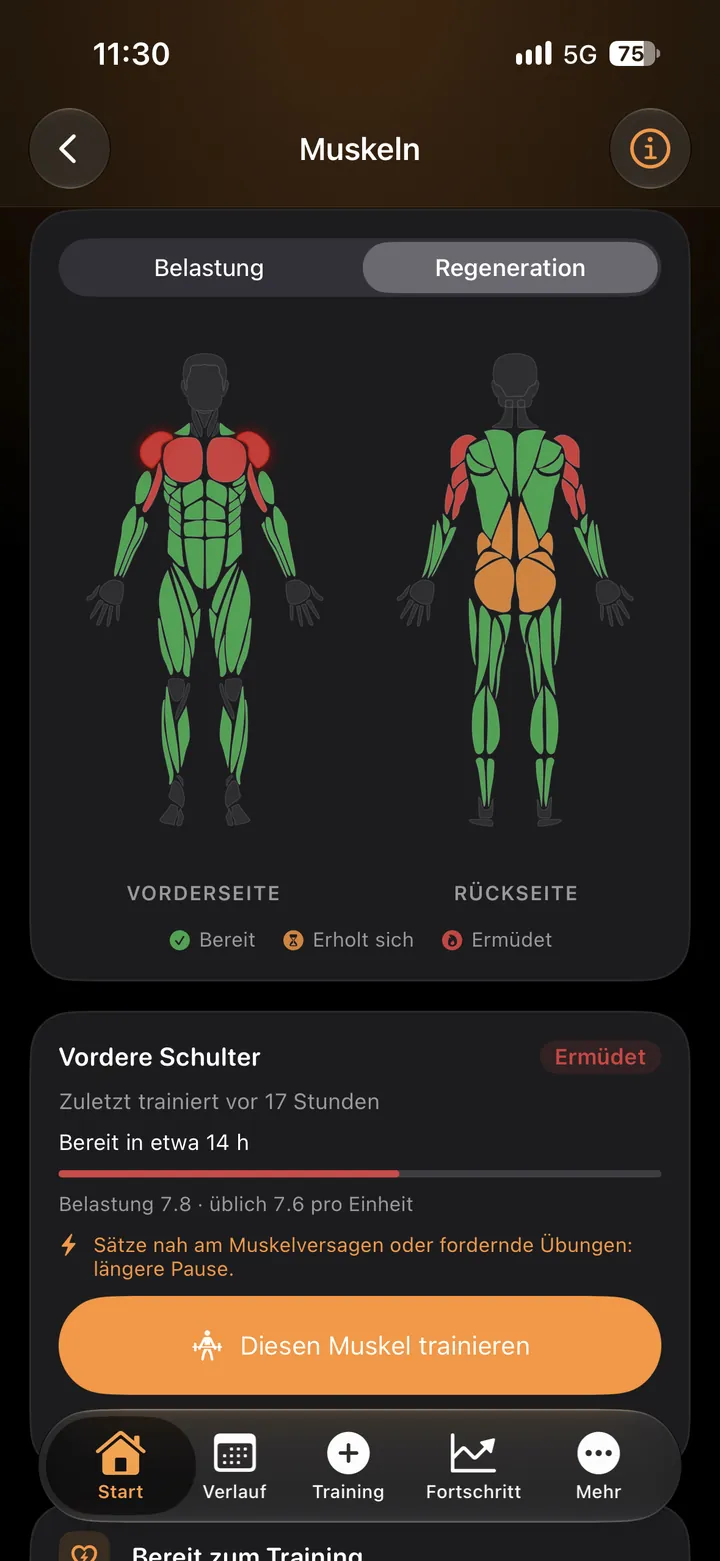
Recovery on a body figure: ready, recovering or fatigued per muscle

Counts weekly sets per muscle

Volume for each muscle group, set against the week before.
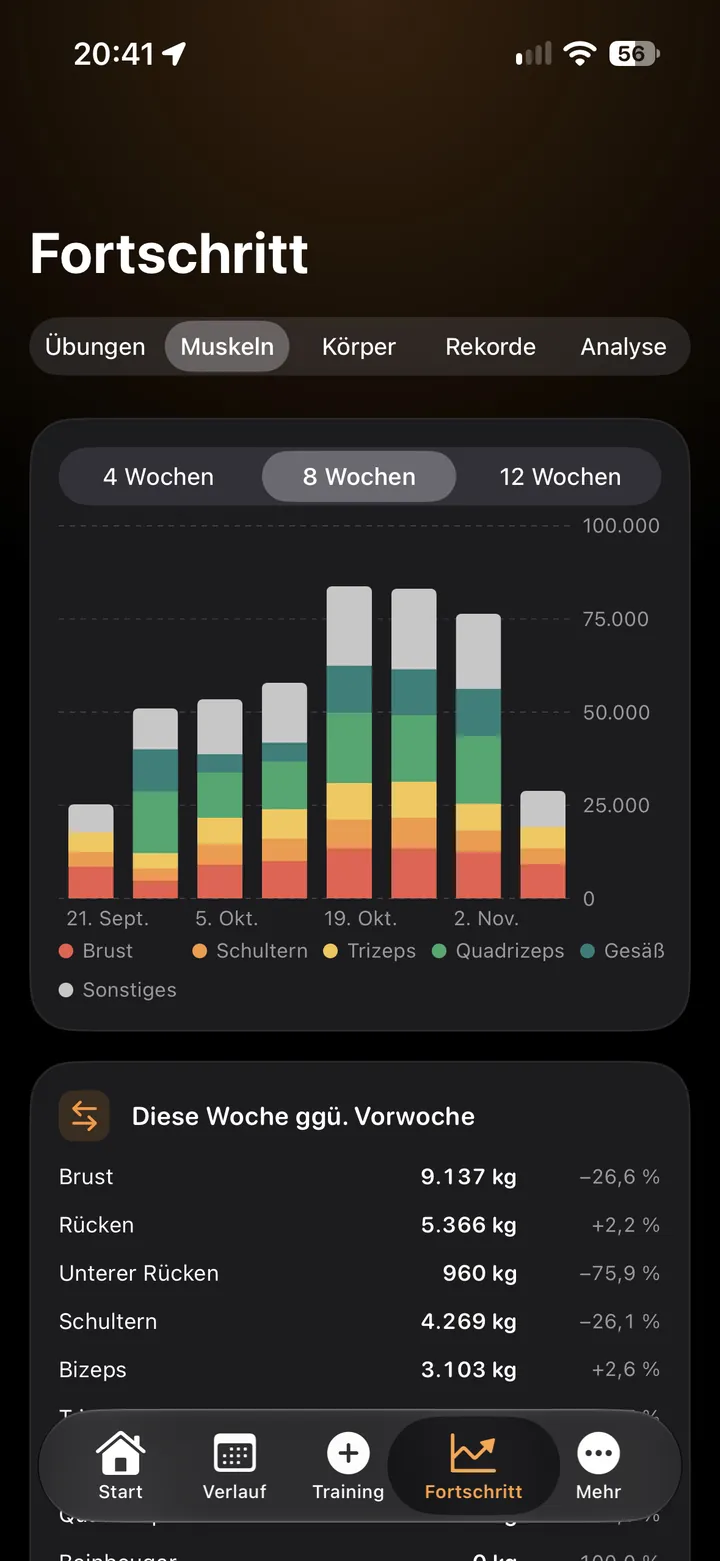
Weekly volume per muscle group compared with last week

Finds the muscles you skip

Push against pull, quads against hamstrings, with exercises for the weaker side.
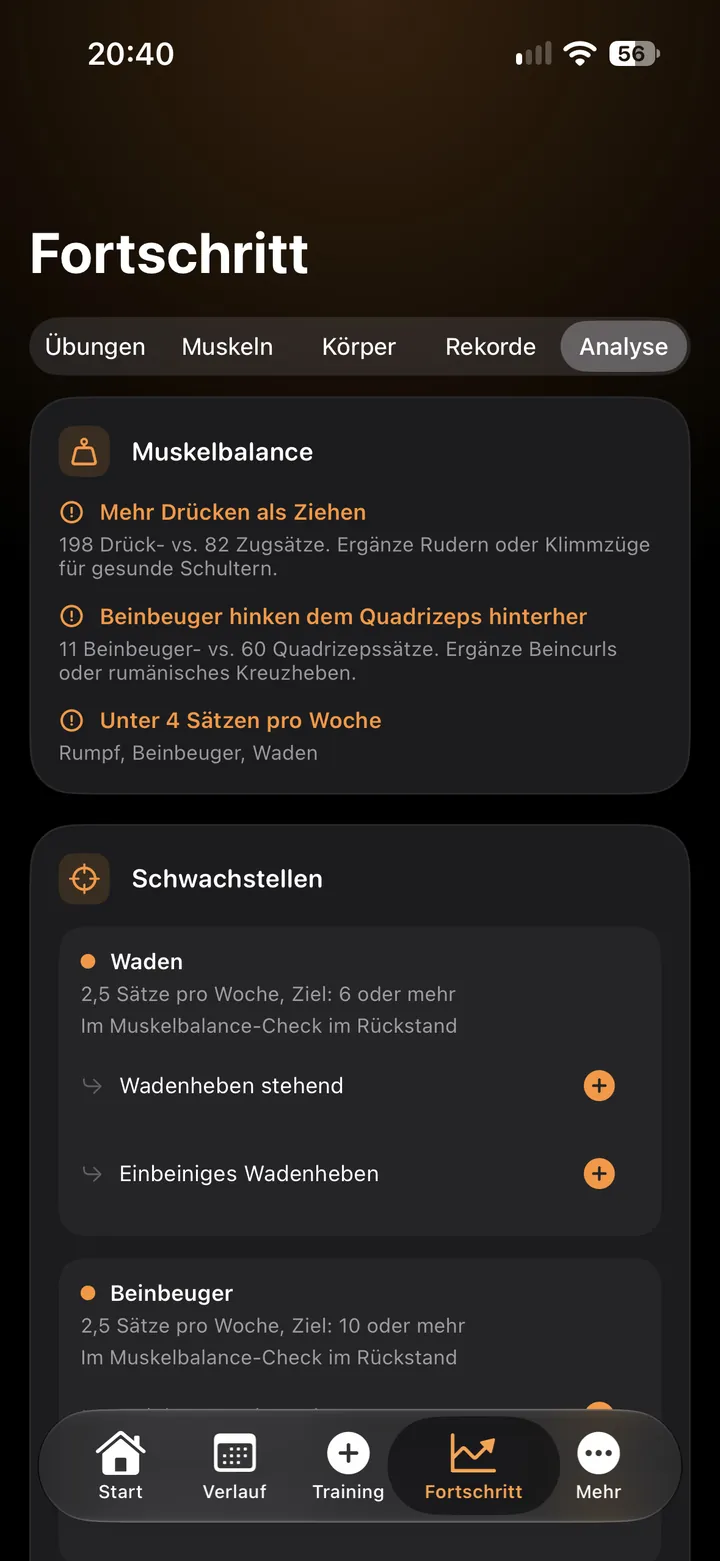
Muscle balance check with weak spots and suggested exercises

Apple Watch app for the gym floor

Leave the iPhone in your bag. Turn the Digital Crown to change weight and reps, tap Done, and the rest timer starts on your wrist.
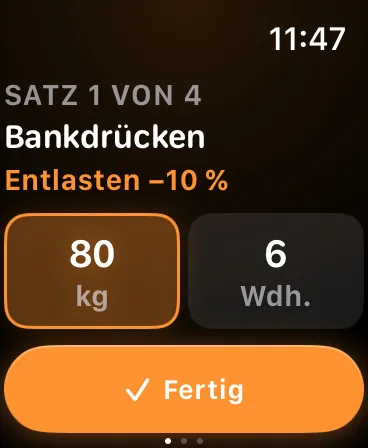
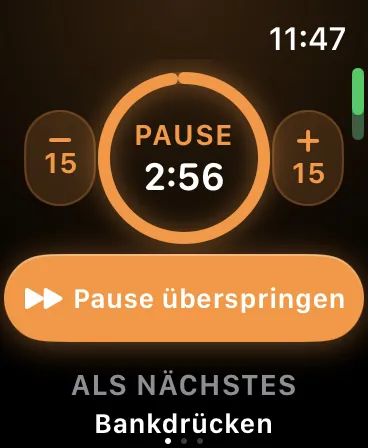
  • Start today's plan, a template or a recent workout from the watch
  • Heart rate goes to Apple Health, if you turn Health on
  • Needs watchOS 10 or later
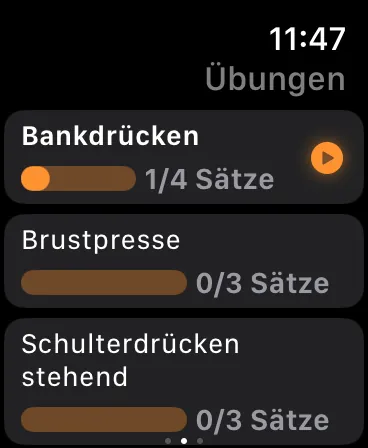
Apple Watch showing the current set with weight and reps
Apple Watch rest timer
Apple Watch list of the workout's exercises and sets

Privacy by design

Offlift has no account, no cloud and no network code. Your workouts stay on your iPhone and in the backup files you keep. Only if you turn on Game Center do scores and achievements go to Apple.

Account
None to make
Ads and analytics
None in the app
Backups
JSON files and CSV export
Game Center
Off until you turn it on

Training plans that add the weight for you

Pick a starter program or build your own routine. Each exercise moves up by its own scheme, with deload weeks planned in.
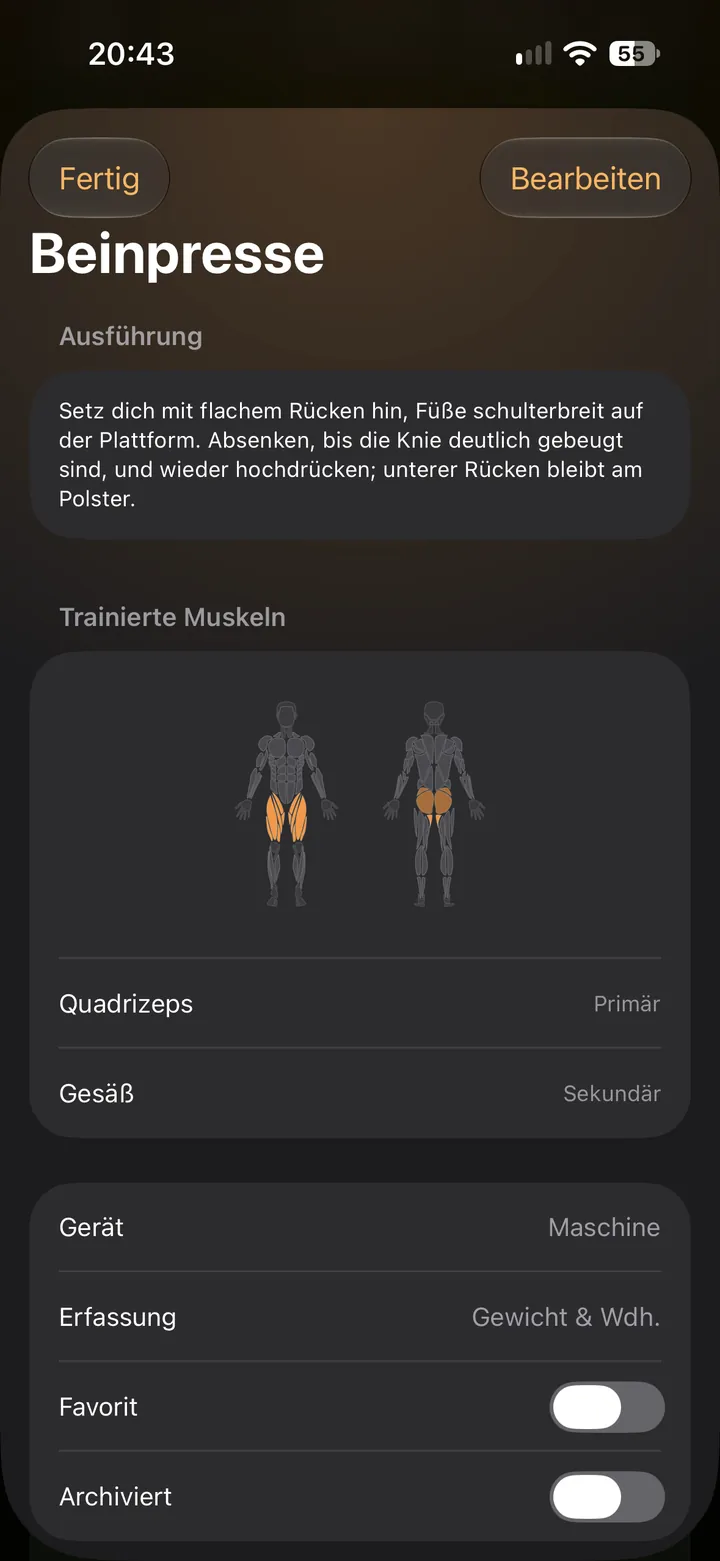
  • Push/Pull/Legs, Upper/Lower, Full Body, 5×5 and six more
  • Over 200 exercises, each with a how-to and the muscles it works
  • Templates to share as files or print as PDF
Exercise page with a how-to and the trained muscles on a body figure

What's new in 0.96.0

Updates are free. The app shows the same notes under What's new.
See every version in the changelog

What's new

Version 0.96.0

  • 61 new exercises: push-up variations, bodyweight squats and lunges, core and cardio moves, dumbbell, resistance band and kettlebell exercises, plus mobility and stretching.
  • The exercise search is more forgiving: "pushup", "Liegestütze" or "squats" now find the right exercise, also by other common names.
  • Six new starter programs: Home without equipment, Beginner 2× a week, Dumbbells only, Calisthenics, Strength + Hypertrophy and 20-minute workouts. Filter them by place; beginner-friendly ones are marked.
  • New setup assistant in the introduction and in Settings: answer three questions (experience, days per week, where you train) and get a matching program, weekly goal and logger detail.

Questions and support

Questions, bugs or ideas: write to [email protected]. I usually reply within a few days.

Offlift app icon

Your data lives only on your iPhone, so I can't see or restore it. Keep a copy with More › Backup, export & import.

Which iPhone do I need?

An iPhone with iOS 17 or later. The Apple Watch app needs watchOS 10 or later and works together with the iPhone app.

Does Offlift sync between devices?

No. Your data stays on your iPhone and is never uploaded. To move to a new iPhone, make a backup under More › Backup, export & import and import it there.

What happens to my data if I delete the app?

It is deleted with the app. Nobody, including me, has a copy, so keep a backup file somewhere safe.

Is Offlift a subscription?

No. You pay once and own it, with all future updates. No in-app purchases, no ads.

Does it work with Apple Health?

If you want. Offlift can save workouts and body weight to Apple Health and read steps, active energy, exercise minutes and body weight. It stays off until you turn it on.